★ PRO EDITION
DeadChest Pro
A clearer way back to what matters.
DeadChest Pro includes the free edition's death chests, XP storage, holograms, protection settings and partial collection. It adds tools for finding active chests and returning eligible expired inventories to their owners.
All core DeadChest features included · No client mod required
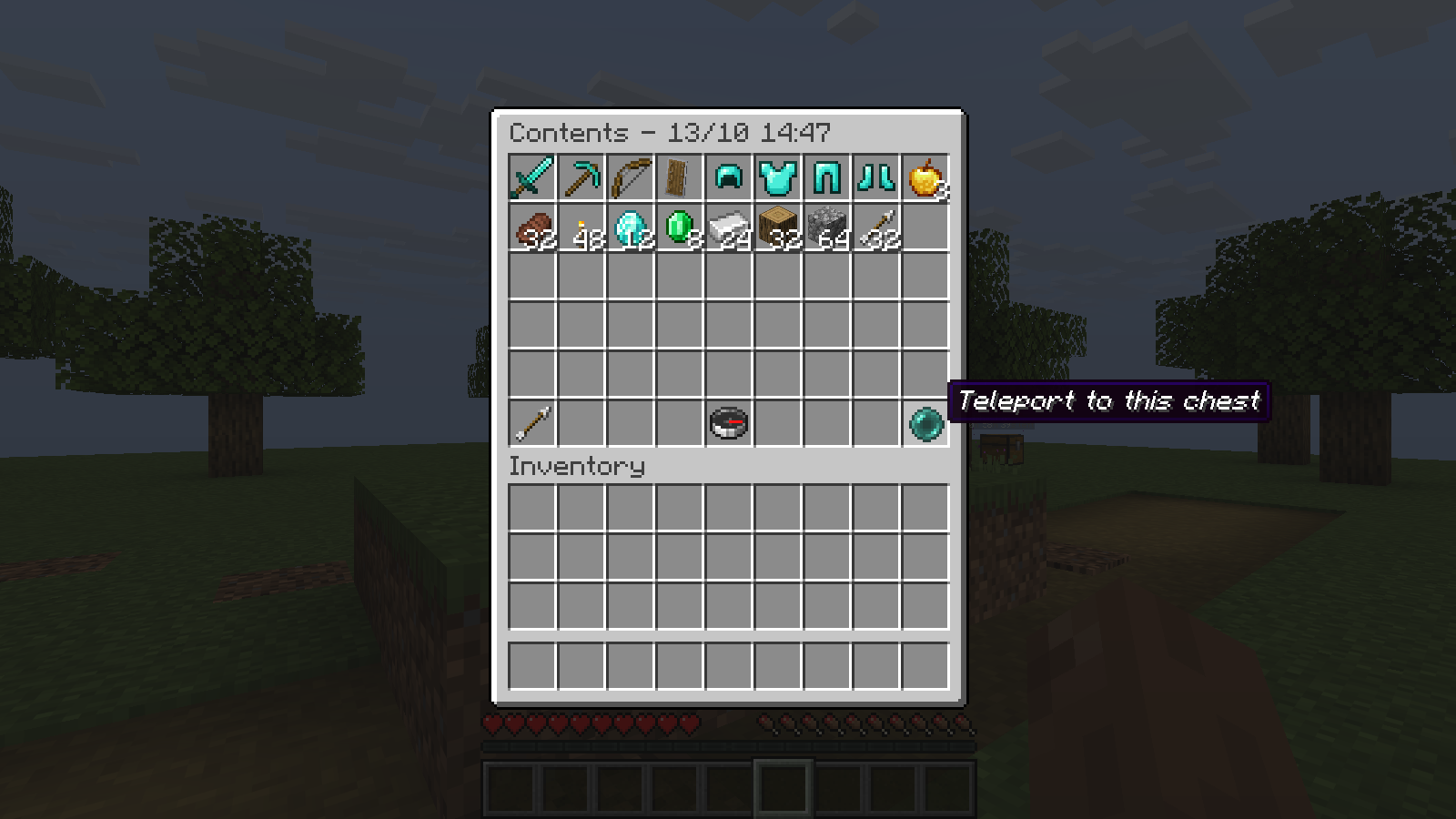
From finding a chest to recovering its contents
01 / BROWSE
Every chest, one menu
See locations, remaining time, items and XP in /dc menu. Open a read-only
preview to decide which chest to return to next.
02 / TRACK
Find your way back
Follow live direction and distance with /dc track. Keep an eye on expiry
while travelling, with guidance when your chest is in another world.
03 / RETURN
A controlled return
Offer teleportation with a warmup, cooldown and world restrictions. Safe footing is checked before arrival. Disabled by default; you choose who can use it.
04 / RESTORE
Recovery with context
Review a player's history, inspect eligible expired contents and confirm their return. Delivery waits if the owner is offline or needs inventory space.
Built on the DeadChest you know
Death chests, XP storage, holograms, access protection and partial collection are included. Your core settings and commands still apply.
New chest creation and direct inventory collection support automatic recovery after an interrupted transfer in both editions. Pro history restoration also supports this recovery. See recovery and backups for its scope.
Restoration is limited to eligible expired contents that were not dropped into the world. It does not return items already collected by a player.
Ready to get started?
- Install Pro or migrate from the free edition.
- Run
/dc menuin game to browse your chests. - Enable teleportation if you want to offer it to players. It is disabled by default.
- Give trusted staff the history and restoration permissions.
Install only the Pro JAR: it replaces the free plugin. No economy plugin or remote license activation is required.