History and restoration
Browse a player's history
Run /dc history <player> [page] in game with deadchest.pro.history.
The player argument accepts a name or player UUID. Select an eligible expired
entry to inspect its remaining items and XP before deciding whether to return them.
/dc restore <player> opens that player's history. Without an argument,
/dc restore opens your own. Grant both deadchest.pro.history and
deadchest.pro.restore to staff who need the full selection and confirmation flow.
Return expired contents
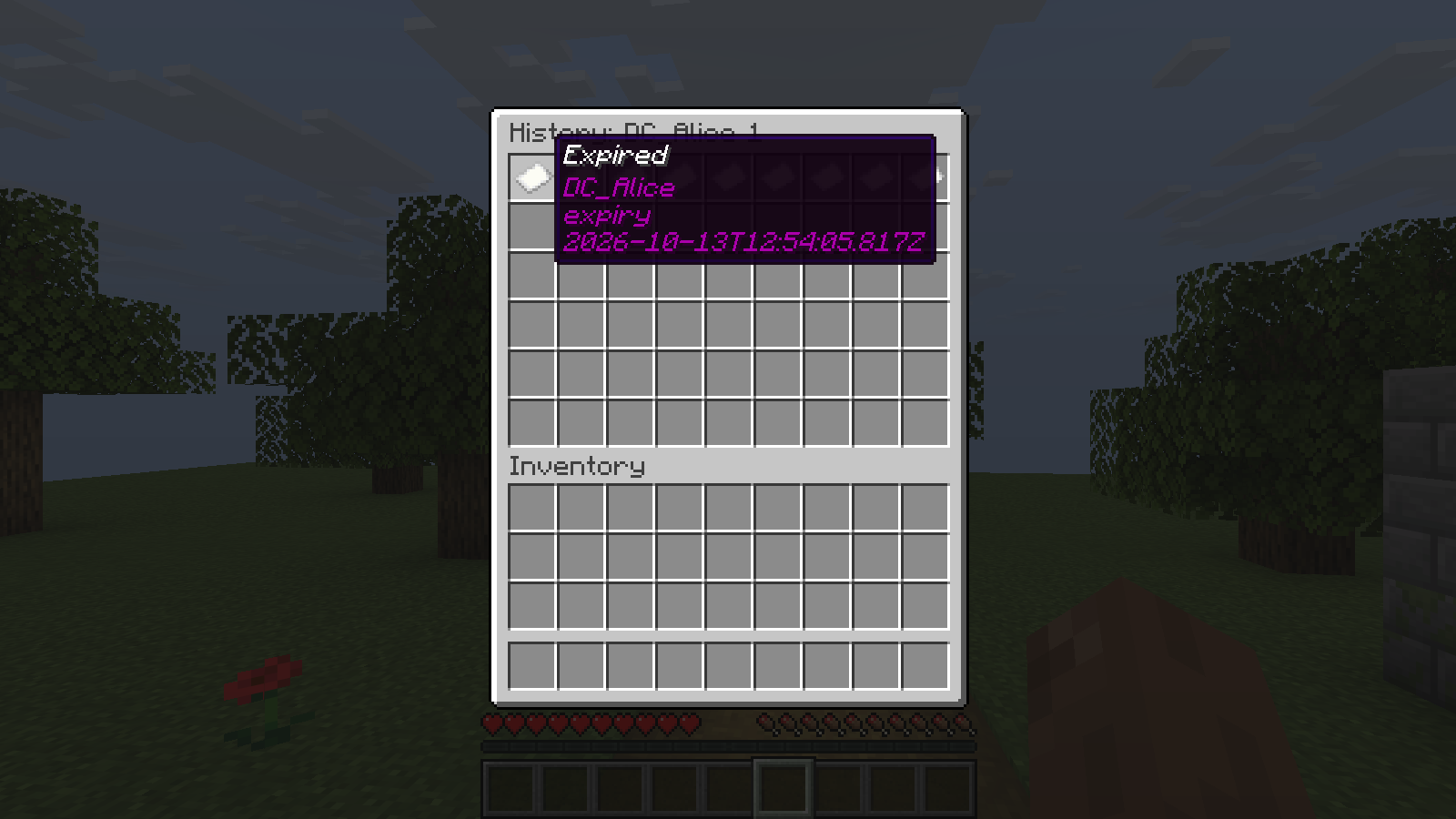
Review the player's chest events and select an eligible expired entry.
- Open the owner's history and select an eligible expired chest.
- Inspect the contents in the restoration preview.
- Click the explicit confirmation button.
- Read the delivery message. Items and XP go to the original owner, not the administrator.
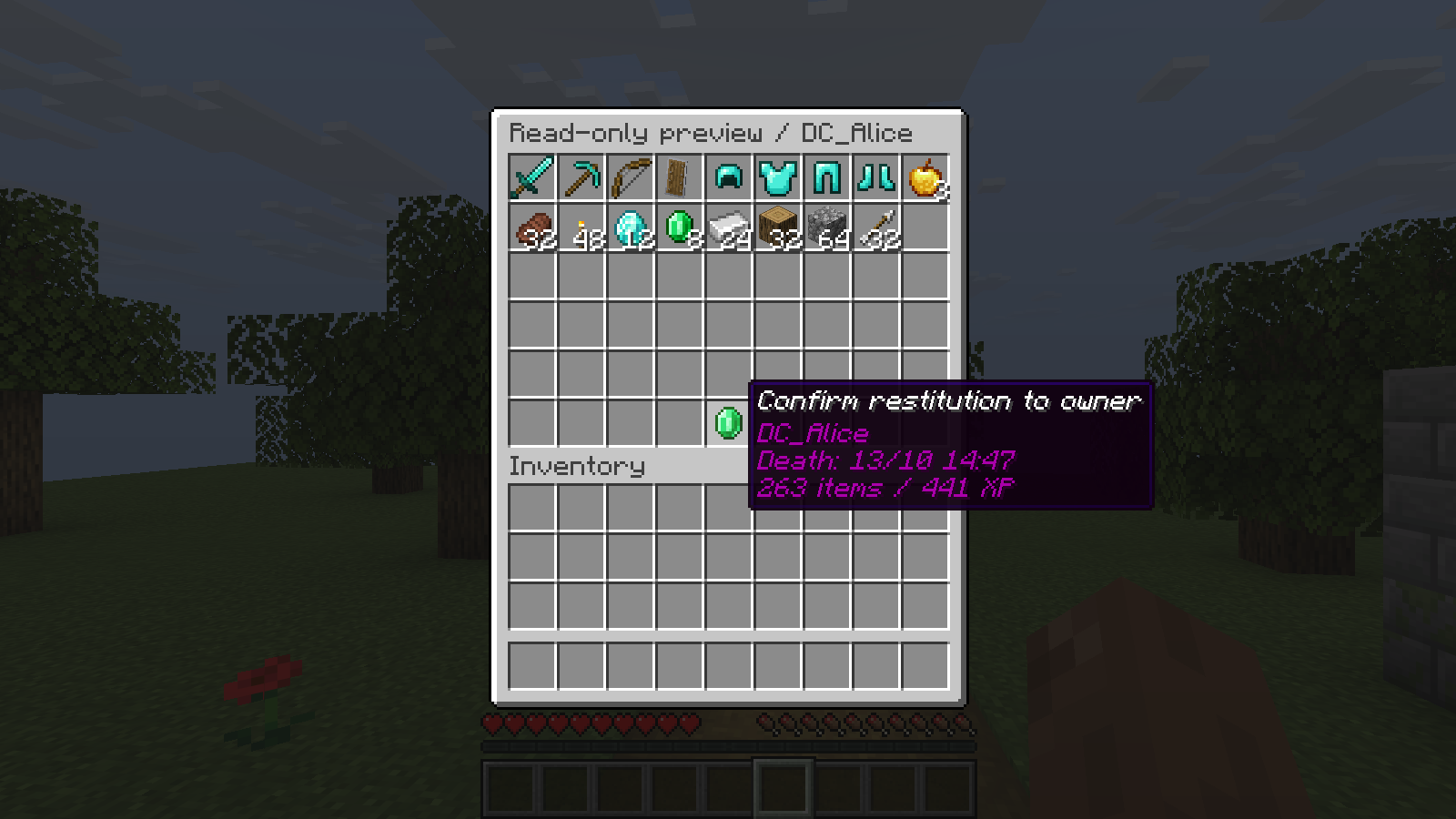
The confirmation identifies the owner and the contents to return. Opening this preview does not deliver anything.
A full chest UUID can also be supplied to /dc restore <chest-uuid> to open
the confirmation preview directly. It does not bypass eligibility or permission checks.
Only expired chests whose contents were not dropped into the world are eligible. Collected, deleted, exploded, given-back or already restored contents cannot be restored through this feature.
If a player collected part of a chest before expiration, only the unclaimed remainder is eligible. Previously collected XP is not awarded again.
Pending deliveries
If the owner is offline or lacks enough inventory space for the complete return, delivery remains pending. It is retried on join and when an inventory is closed. Ask the owner to free enough space and close the inventory.
Unlike normal partial chest collection, history restoration waits until the whole remaining inventory fits. It does not drop overflow items on the ground. Confirmation queues a single return; staff should not manually duplicate it.
Retention
history.retention-days in pro.yml defaults to 30, with a minimum of one day.
Pending deliveries and records requiring review are not removed by retention cleanup.
Existing active chests are imported when Pro is installed. Earlier events cannot
be reconstructed. History is stored in pro-history.db, separately from data.db.
Recovery and backups
New chest creation, direct inventory collection and Pro history restoration use
persisted transfer records and player receipts to resume after a server interruption
when the affected player returns. A dead player must first respawn.
Ground drops and the separate /dc giveback delivery path do not use this mechanism.
Back up and restore worlds, player data and the complete plugin data folder together while the server is stopped. Do not remove transfer tags or manually reset database states: they prevent duplicate deliveries.
Older ambiguous operations without a verifiable receipt can remain in REVIEW.
These are not automatically retried. Preserve the logs and a complete backup,
compare the owner's inventory, XP and active chests, and contact
support before attempting a manual correction.
Do not reset a review record to pending or return its full contents without
establishing what the player has already received.